
Plan meals
with AI
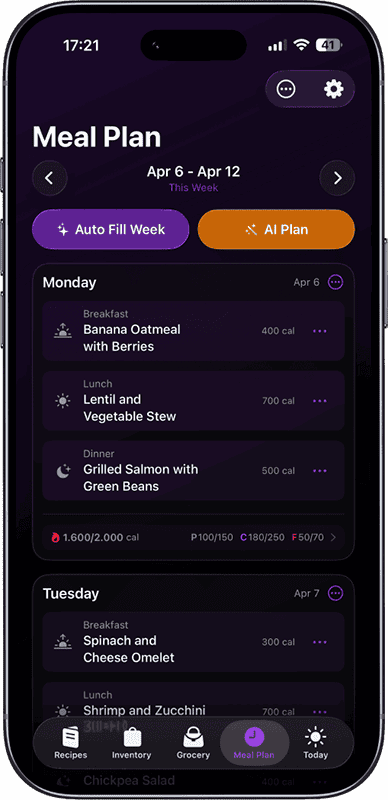
Pick your nutrition goals, favorite cuisines, and preferred ingredients — then tap once. AI builds your entire week of meals in seconds.
How it works
Save or generate recipes
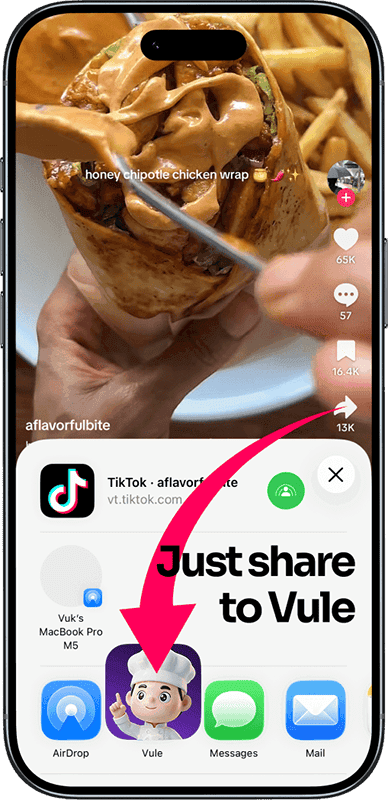
Import from TikTok, Instagram, YouTube — or let AI create recipes from your ingredients.
AI plans your week
One tap fills your entire weekly meal plan, balanced to your calorie and macro goals.
Shop and cook
Auto-generated grocery lists and hands-free cooking mode with voice commands.
Save recipes from anywhere
Paste a link from TikTok, Instagram, YouTube, or any website. AI extracts the full recipe in seconds — ingredients, steps, and nutrition included.
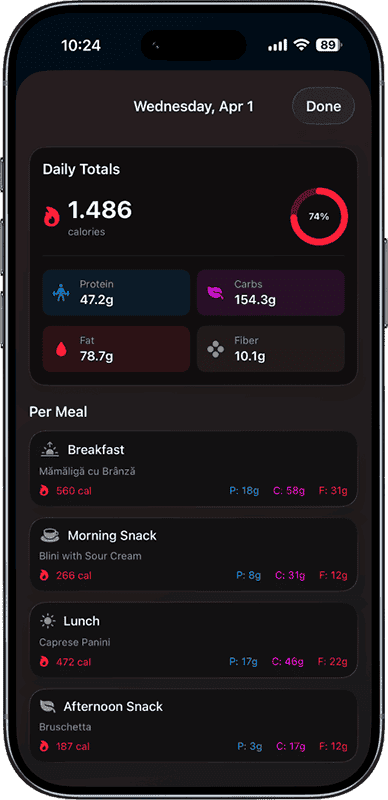
Calorie counter & macros
Every recipe and meal plan comes with automatic calorie and macro calculations. See daily totals, per-meal breakdowns, and stay on track with your goals.
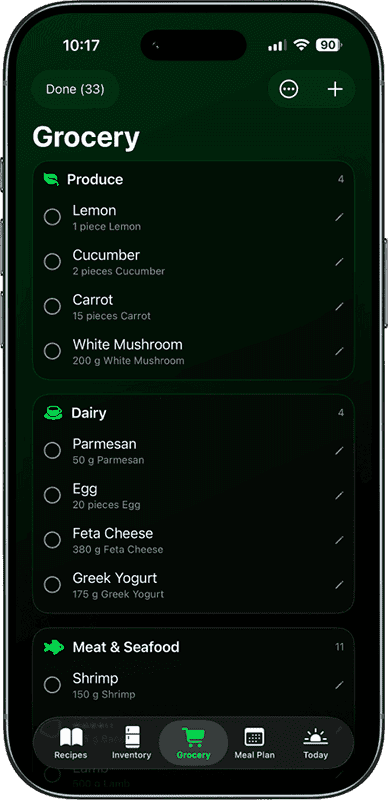
Smart grocery lists
Generate a complete grocery list from any recipe or your entire meal plan. Items are sorted by store aisle and duplicates are merged automatically.
Recipes with cost estimates
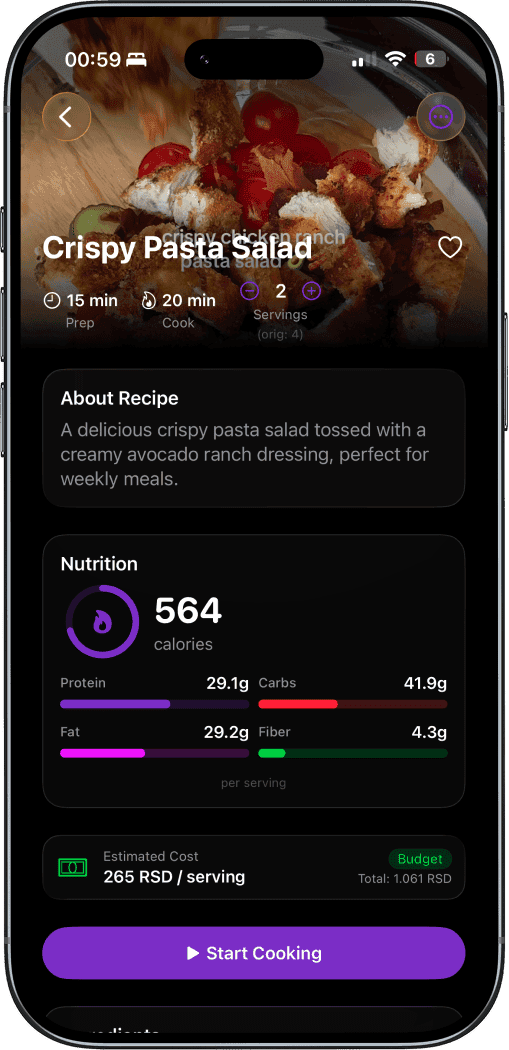
Every recipe shows step-by-step instructions, full ingredient lists with quantities, nutrition breakdown, and an estimated cost per serving so you can plan your budget.
Scan & track ingredients
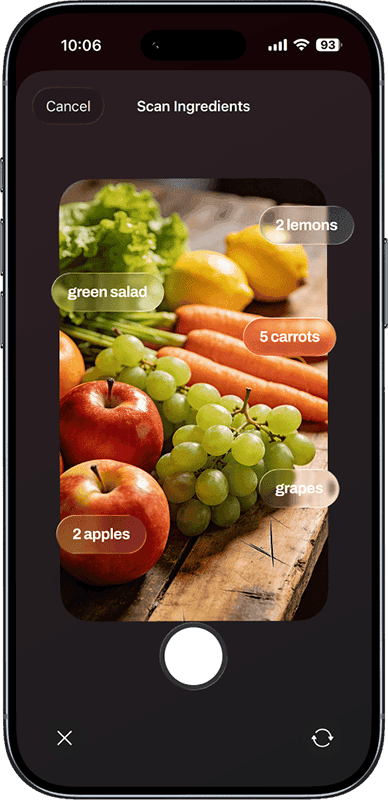
Point your camera at ingredients and AI identifies them. Track what you have in your fridge, freezer, and pantry. Vule suggests recipes based on what you already own.
Step-by-step cooking
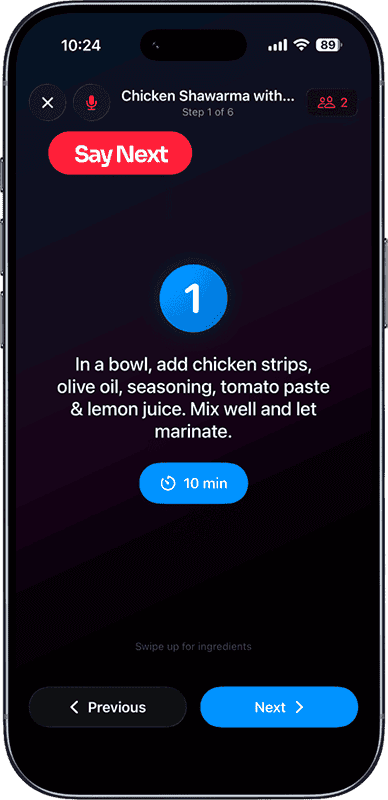
Large text, built-in timers, and voice commands. Say "Next" to advance steps without touching the screen.
Loved by home cooks
“This app is exactly what I needed. I save recipes from TikTok all the time and now they're all organized with grocery lists.”
“The AI meal planning is incredible. I set my macros and it fills my whole week in seconds. Saves me hours every Sunday.”
“Finally an app that does meal planning, grocery lists, AND cooking mode. The voice commands while cooking are a game changer.”
Free vs Pro
| Feature | Free | Pro |
|---|---|---|
| Manual recipe creation | ✓ | ✓ |
| 135+ built-in recipes | ✓ | ✓ |
| Meal planning | ✓ | ✓ |
| Grocery lists | ✓ | ✓ |
| Inventory tracking | ✓ | ✓ |
| Cooking mode + voice | ✓ | ✓ |
| iCloud sync (iPhone) / backup export (Android) | ✓ | ✓ |
| Import from TikTok/Instagram/YouTube | — | ✓ |
| AI recipe generation | — | ✓ |
| AI weekly meal plan | — | ✓ |
| Camera ingredient scan | — | ✓ |
| Calorie & macro tracking | — | ✓ |
| Recipe translation (11 languages) | — | ✓ |
| Meal plan templates | — | ✓ |
Frequently Asked Questions
How do I add recipes to Vule?
You can add recipes three ways: paste a link from TikTok, Instagram, or YouTube and Vule extracts the recipe automatically (Pro feature), add a recipe manually for free, or generate one with AI based on your inventory and macro goals (Pro feature).
What does the AI Fill feature do?
AI Fill generates a complete week of meals with one tap. It uses your saved recipes and your calorie and macro nutrient targets to build a balanced meal plan automatically.
How does the grocery list work?
You can add items manually, scan a barcode, or generate a full list from your Meal Plan with one click. When you're done shopping, transfer purchased items to your Inventory with a tap.
What's the difference between Free and Pro?
Free includes manual recipe entry, cooking mode with voice commands, meal planning, grocery lists, inventory tracking, and 135+ built-in world cuisine recipes. Pro adds recipe import from video links, AI recipe generation, AI meal plan filling, photo inventory scanning, recipe translation, nutrition tracking, and meal plan templates.
Is Vule available on Android?
Yes. Vule is on Google Play as well as the App Store, with the same recipe import, AI meal planning, grocery lists, inventory tracking and hands-free cooking mode. Purchases are per-platform, since the App Store and Google Play handle billing separately, so Pro bought on one platform does not carry over to the other.
Does Vule sync between my devices?
On iPhone and iPad your recipes, meal plans, grocery lists and inventory sync automatically through your own iCloud account. On Android, Vule keeps everything on the device and lets you export and import a full backup file, so you can move your library to a new phone.
Does Vule work offline?
Core features like viewing recipes, cooking mode, grocery lists, and inventory work offline. AI-powered features like recipe import, AI generation, and translation require an internet connection.
Start planning meals with AI
Free on the App Store for iPhone and iPad, and on Google Play for Android. Save recipes, plan your week, and cook smarter.


