
One4Wall: 4K wallpapers for iPhone & Android
Find 4K wallpapers and fresh collections for iPhone and Android. Add matching themes and widgets on iPhone, or schedule wallpaper changes on Android. Check the platform details below before choosing.
One4Wall at a glance
- Works on
- iOS 17.0 or later · Android
- Pricing
- Free download with optional Pro access
- Developer
- One4Studio
Store information checked .
Choose the features for your phone
One4Wall is available on both platforms, but the apps do not have identical features. Store listings checked on .
| Feature | iPhone / iPad | Android |
|---|---|---|
| Wallpapers | 4K mobile wallpapers, 8K desktop backgrounds and collections. | 4K wallpapers, live backgrounds and category browsing. |
| Depth effect | Images for compatible iPhone Lock Screens. Subject recognition and cropping affect the result. | Layering a subject over Home widgets requires a launcher with depth support, such as One4Home. A wallpaper download alone does not add it. |
| Themes and widgets | Matching icon, wallpaper and widget theme packs. Follow the in-app setup steps. | The Android listing focuses on wallpapers. For Home layouts, icon packs and widgets, use a launcher such as One4Home. |
| Automatic rotation | Check your iPhone wallpaper settings for rotation options. The Android in-app scheduler is a separate feature. | Schedule changes for the Home screen, Lock screen or both, subject to device support. |
| AI and editing | AI generation and an image editor. Generation uses credits; check the current in-app allowance. | AI wallpaper generation and photo adjustments. Check available tools and access in the Android app. |
| Free and paid access | Free content with optional Pro access. Check the purchase screen for current prices and inclusions. | Free download with ads and in-app purchases. Check the Android purchase screen for current offers. |
For Android Home-screen depth, see One4Home's depth setup and requirements. For iPhone, see Apple's wallpaper controls.
The 4.7-star figure above is the US App Store rating, rounded from 4.72 across 795 ratings at verification. It is not an Android or combined-platform score.
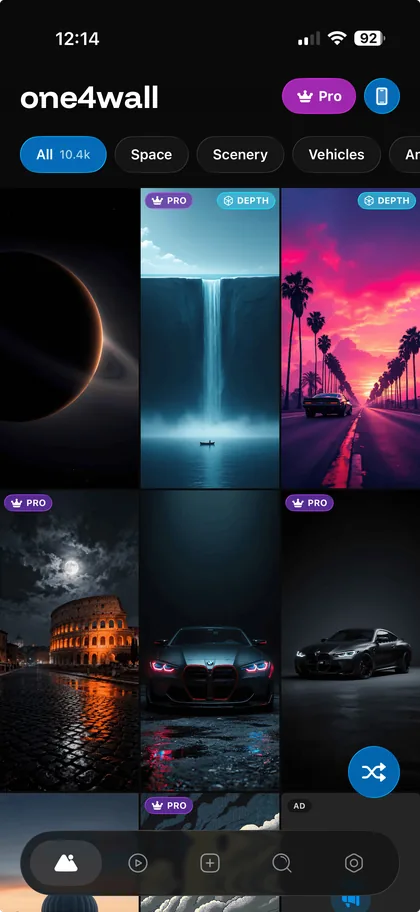
Themes, widgets, AI tools and fresh wallpapers
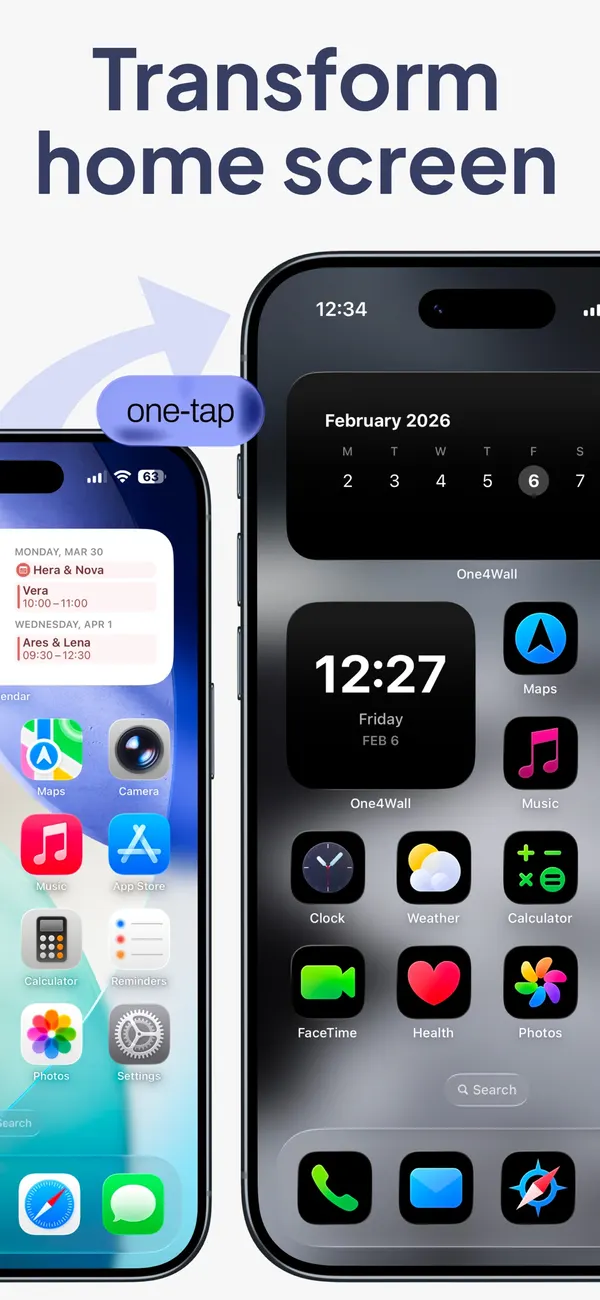
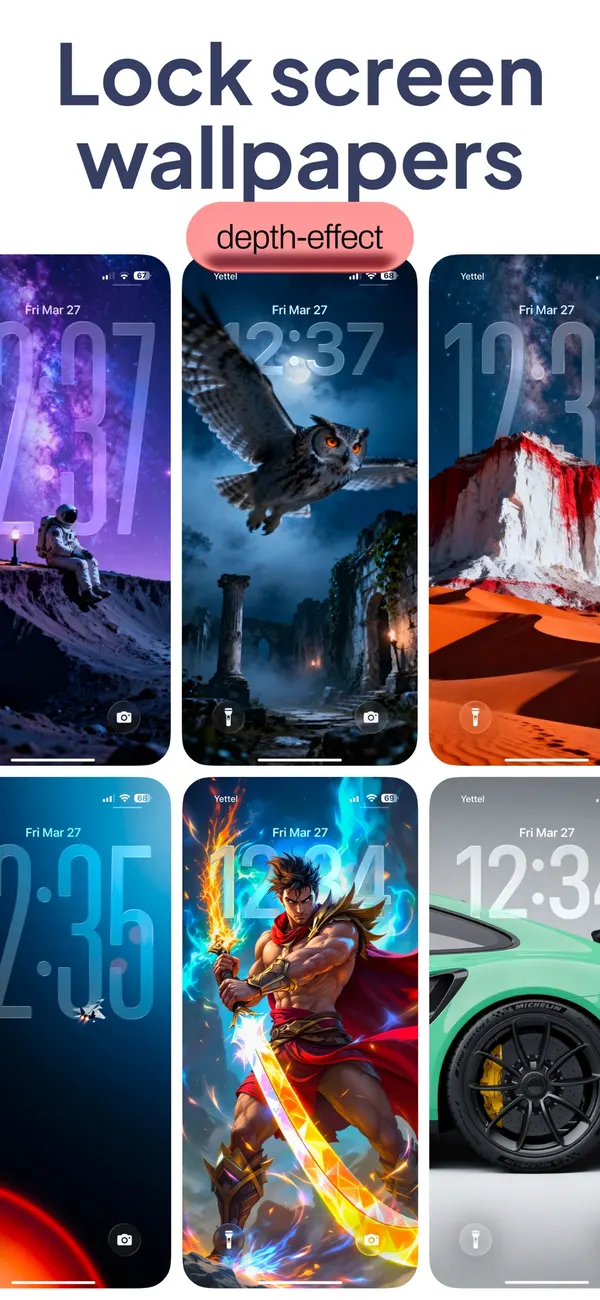
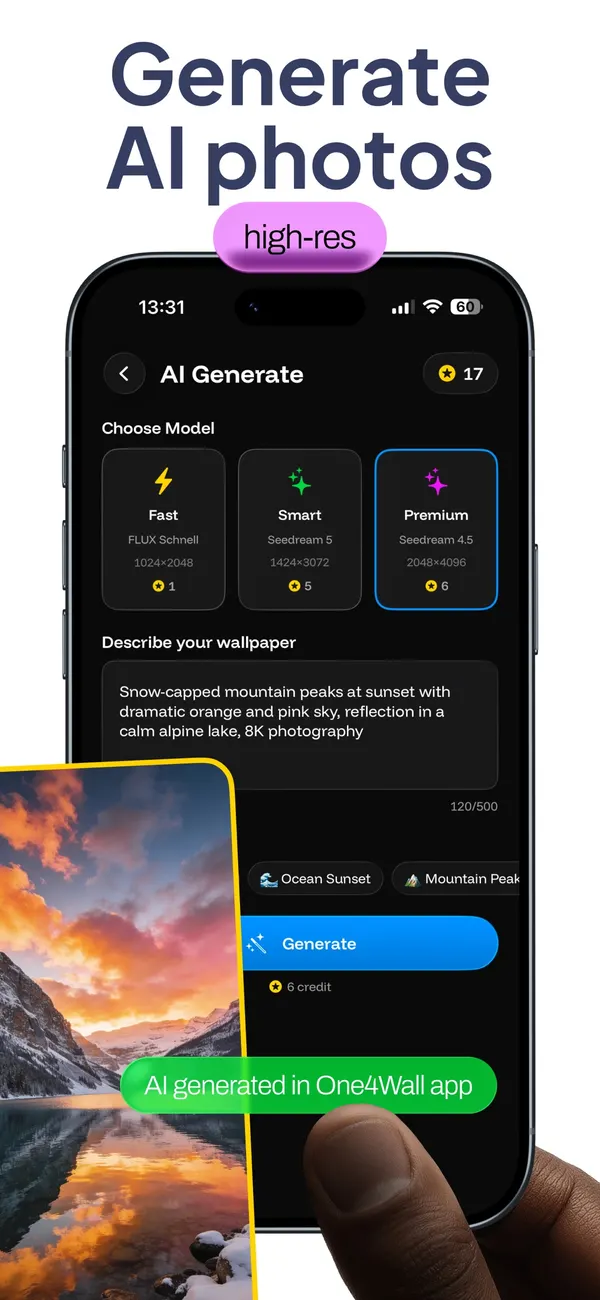
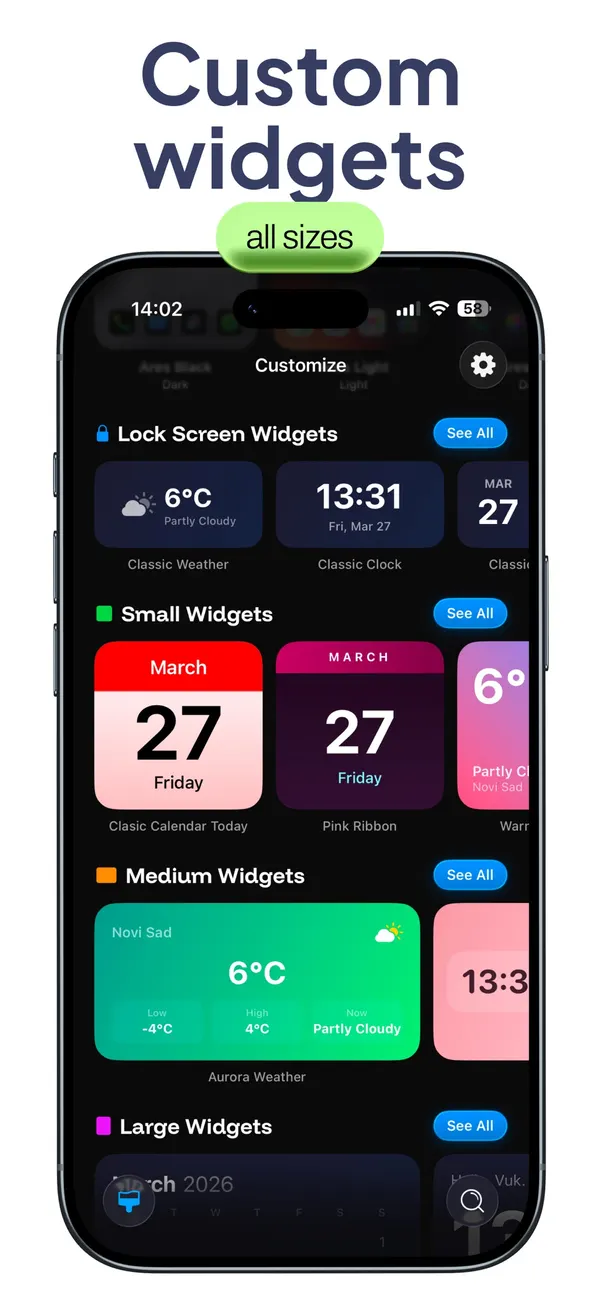
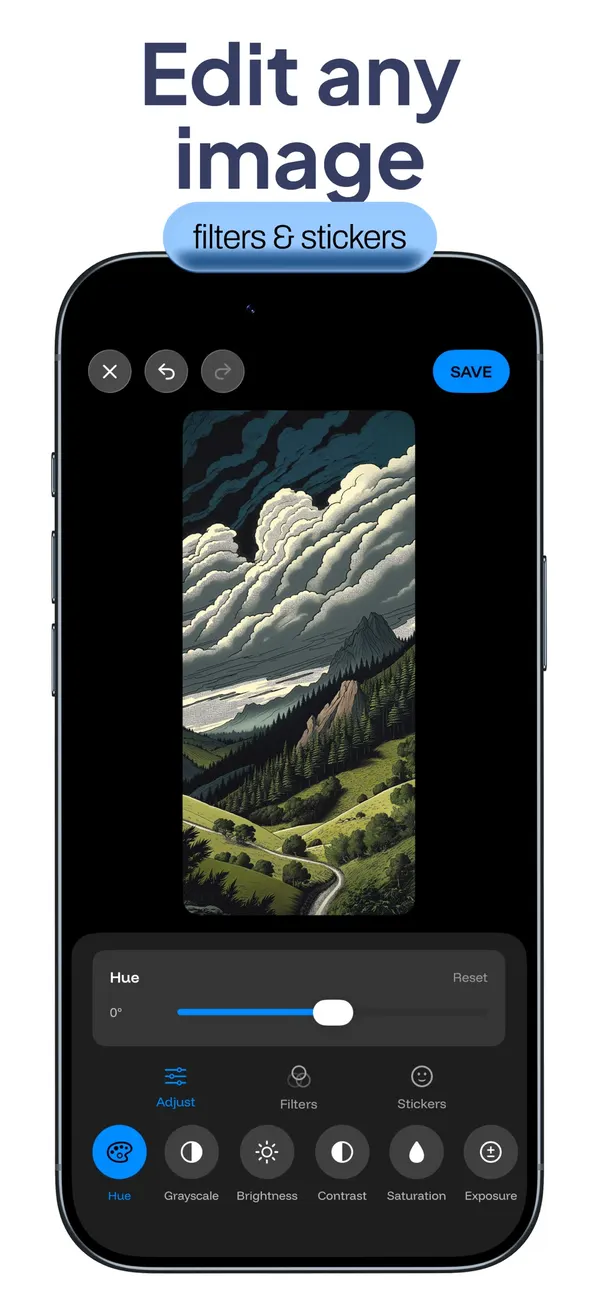
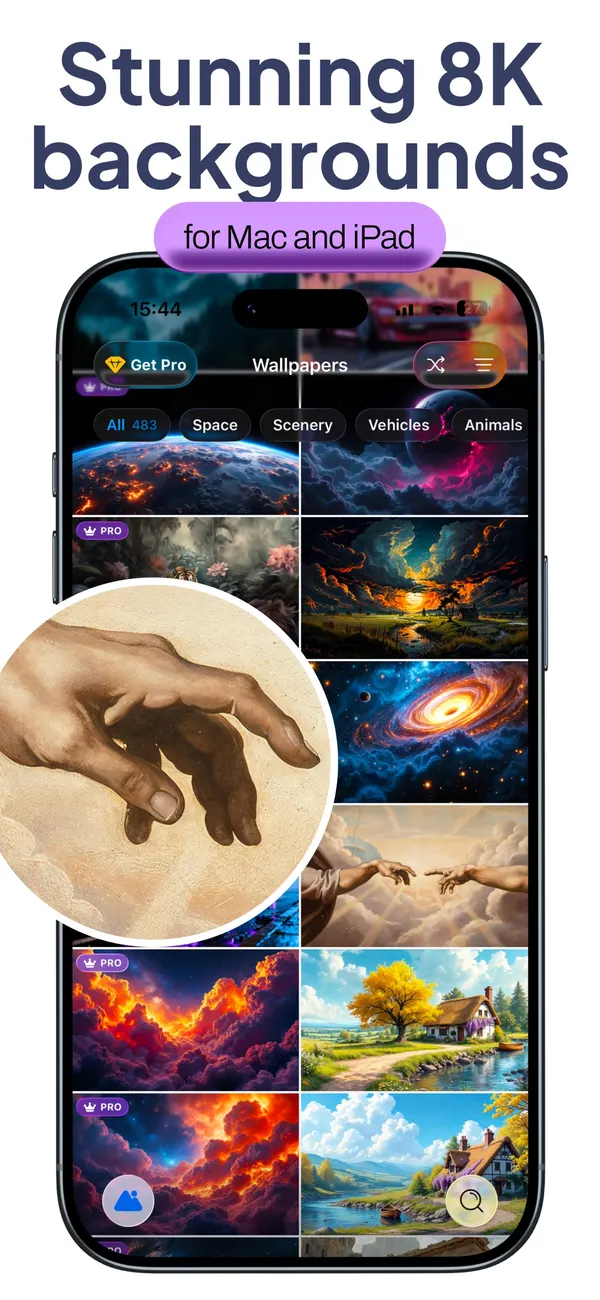
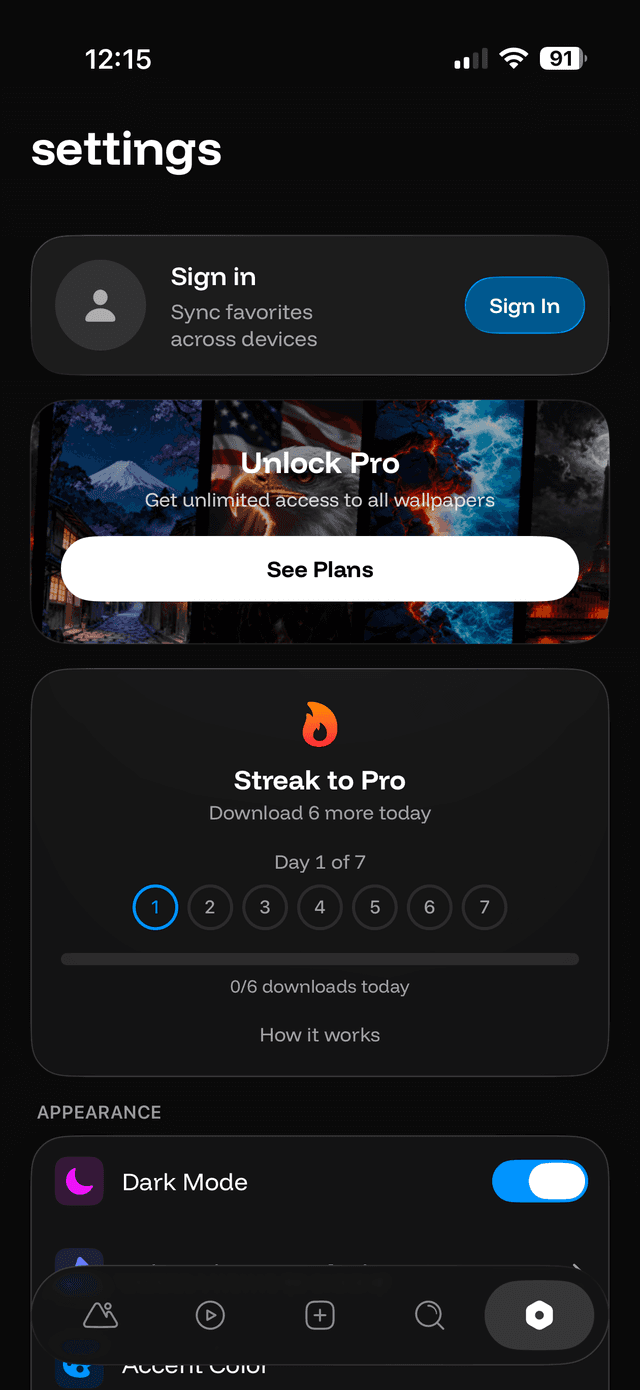
iPhone screens from the App Store listing. The Android app has a different interface.
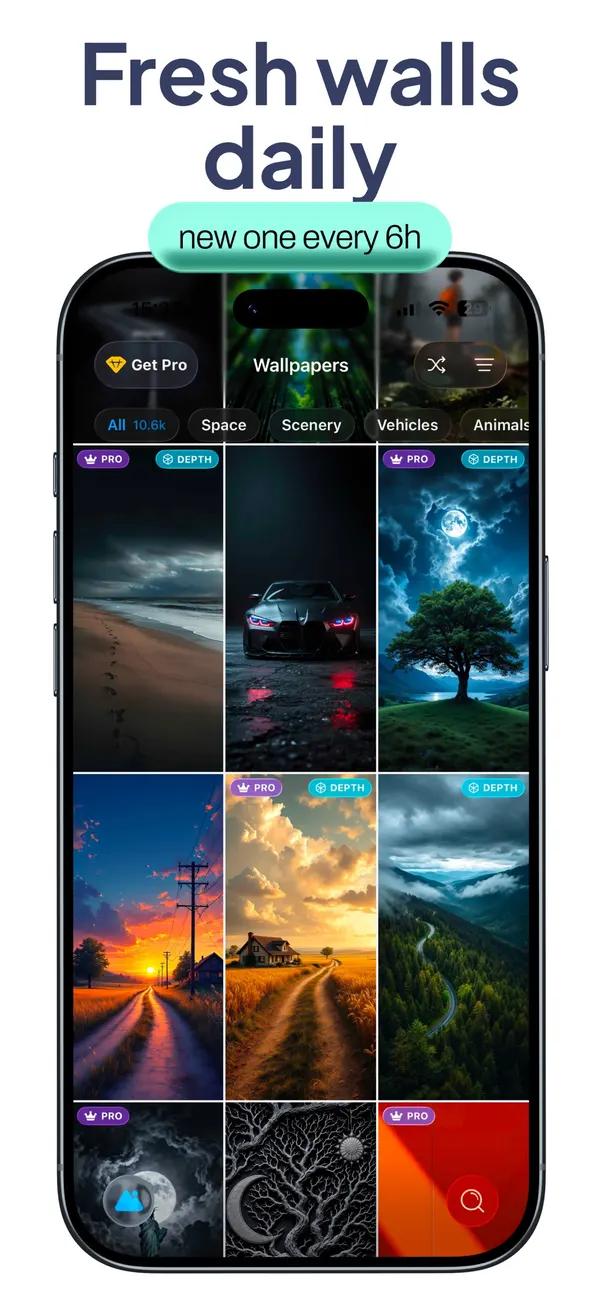
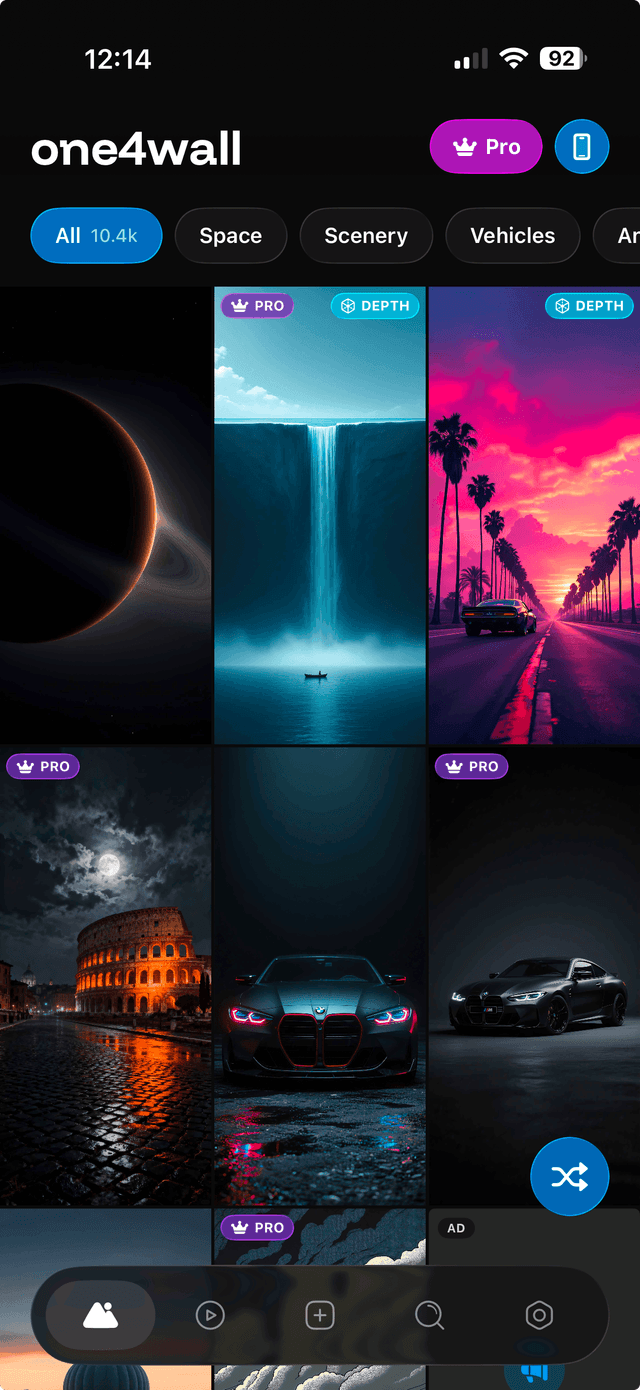
Your daily dose of fresh wallpapers
Browse the full collection with filters for Mobile and Desktop. Sort by date or popularity, and discover new wallpapers added every day.
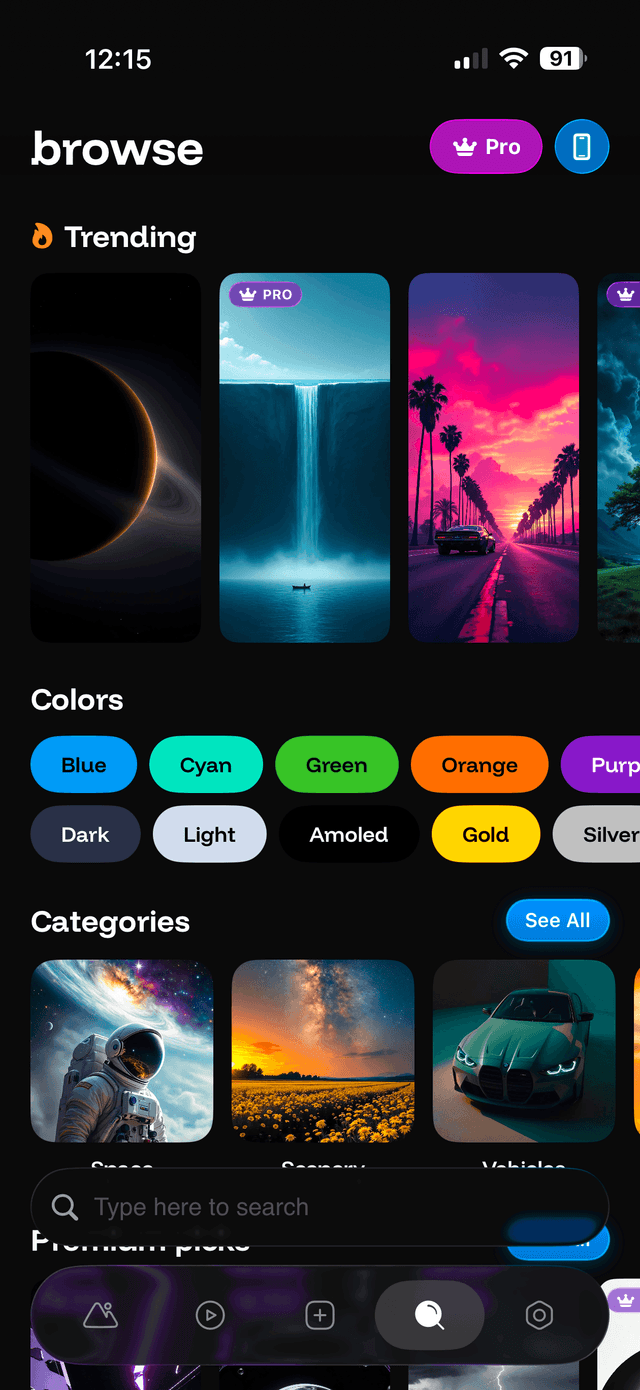
Find exactly what you're looking for
Explore wallpapers by colors, categories, and collections. Use smart search to find the perfect wallpaper for your device.
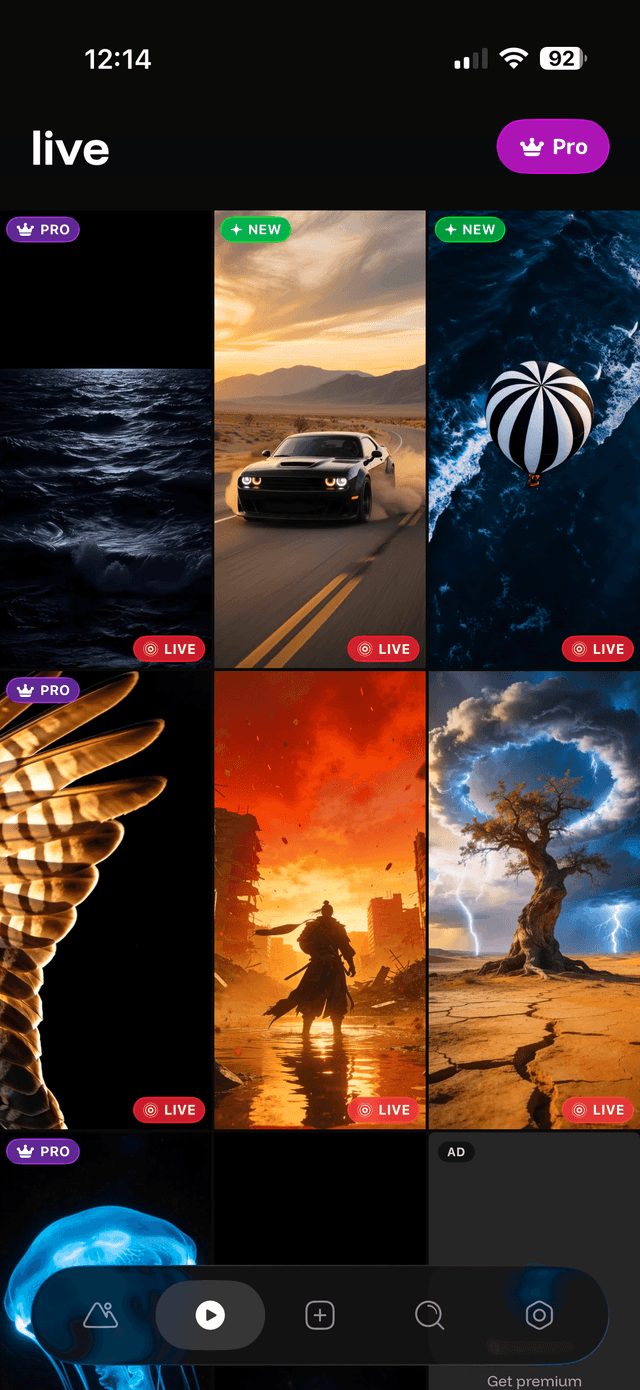
Animated wallpapers for your lock screen
Browse motion wallpapers for compatible iPhone Lock Screens. Motion availability depends on your device and iOS version; it is separate from the still-image depth effect.
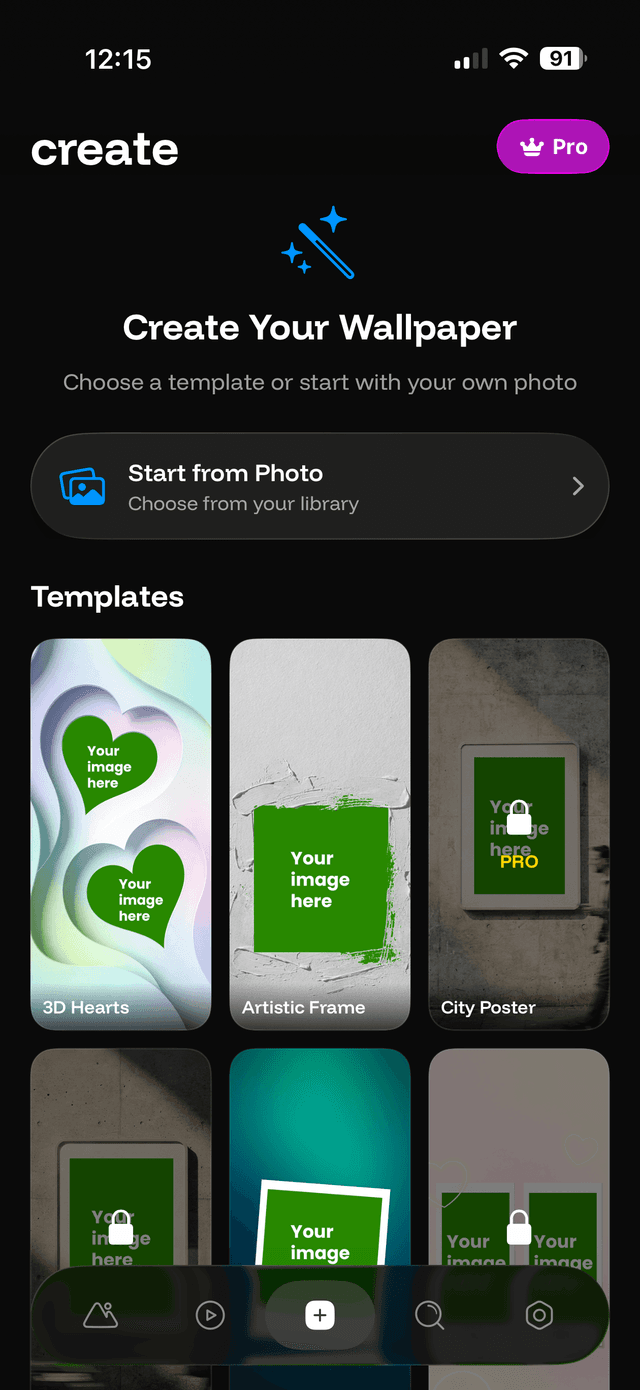
Design your own wallpapers
Use custom templates to create something unique. Add your own photos, text, and emojis — no design skills needed.
Make the app yours
Customize the app theme, change icons, manage your account, and access support — all in one place.
Read experiences from people using your platform
See current ratings, positive and critical reviews, and release notes directly in the stores.
Frequently Asked Questions
Is One4Wall free?
One4Wall is free to download on iPhone and Android, with optional paid access. The iPhone app includes free wallpapers, basic widgets and themes; Android includes ads and in-app purchases. Prices, credits and Pro inclusions can differ, so check the purchase screen on your device.
Does One4Wall have live wallpapers for iPhone and Android?
Both store listings include live wallpapers. On iPhone, motion depends on Lock Screen and operating-system support. Android uses its wallpaper system. Motion and subject-over-clock depth are different effects; neither is guaranteed for every image or device.
Can One4Wall create a complete iPhone theme?
Yes. Theme packs combine matching wallpapers, app icons and widgets so you can build a coordinated iPhone home screen. You still choose and apply the parts you want.
Can I generate AI wallpapers in One4Wall?
Both store listings describe AI wallpaper generation. On iPhone, choose an available model and enter your description; generation uses credits. Models, allowances and paid access can differ by platform, so check the current in-app details.
Does One4Wall include home screen widgets?
Yes. The iOS app includes clock, weather, calendar and other widgets in multiple sizes. Widgets can be mixed with One4Wall themes, icons and wallpapers.
How often are new One4Wall wallpapers added?
The library is updated daily. The app groups wallpapers by category, color and collection so new designs can be found without searching the entire catalog.
Can I edit a wallpaper before saving it?
Yes. The built-in editor provides image adjustments, filters, effects, stickers and text tools. You can use it on a One4Wall design or another image that you choose.
Will every depth wallpaper work on every phone?
No. Depth depends on the subject, crop, operating system and the screen displaying it. iPhone Lock Screen depth and One4Home Home-screen depth are separate implementations. An image that works on one may need a different crop or prepared subject layer on the other.
Is One4Wall an Android launcher?
No. One4Wall supplies wallpapers and editing tools. One4Home is One4Studio's separate Android launcher for Home layouts, icon packs, widgets and themes. You do not need One4Home just to download a wallpaper.
Does One4Wall work on Mac or desktop screens?
One4Wall includes high-resolution desktop backgrounds, including 8K designs suitable for Mac, iPad and large displays. The mobile app is used to browse and save the background.
Ready to transform your device?
Download One4Wall now and discover thousands of stunning wallpapers.


