Step-by-Step Guide
How to Use Adaptive Icon Packs on Samsung OneUI
Adaptive Icon Packs works with Samsung OneUI. Install the pack, open the launcher's icon settings, and select your preferred Adaptive Icon Packs variant.
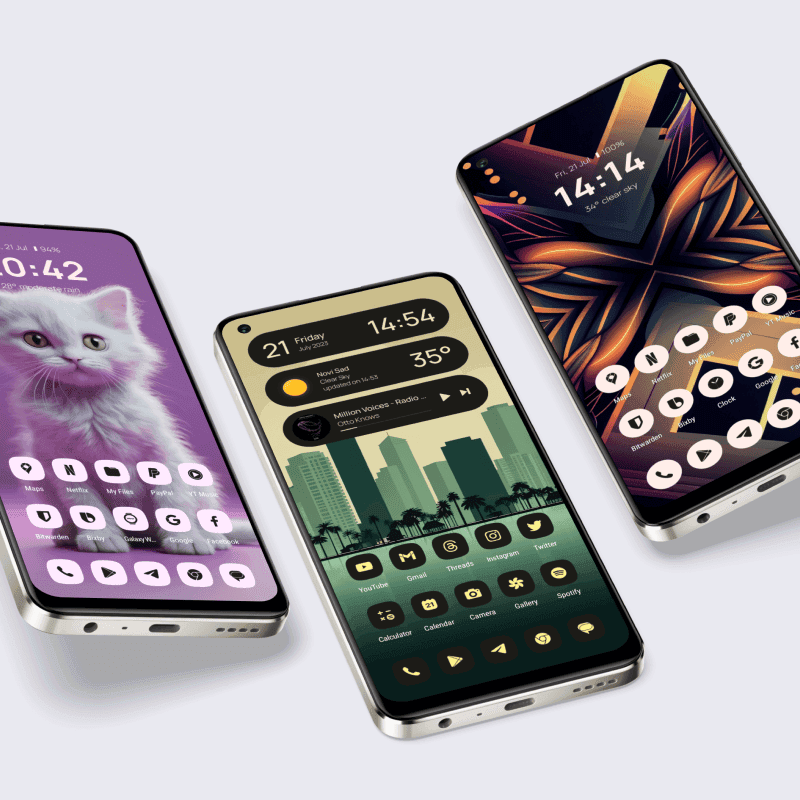
About this icon pack
Dynamic icons and widgets that adapt to wallpaper colors
Starting from Android 12, you can get Material You themed icons on your homescreen, meaning that icons and widgets are changing color based on your wallpaper.
- Material You theming
- Dynamic color matching
- 4000+ icons
- Matching KWGT widgets
- Android 12+ optimized
- Regular updates
Available variants: Lena Adaptive, Caelus Adaptive, Vera Material You.
Install Good Lock
Download 'Good Lock' from the Galaxy Store (or 'NiceLock' if not available in your region).
Install Theme Park
Open Good Lock and download 'Theme Park' module.
Open Theme Park
Launch Theme Park from Good Lock or your app drawer.
Create New Theme
Tap the '+' button to create a new icon theme.
Select Icon Pack
Choose 'Third Party' and select your One4Studio icon pack.
Apply Theme
Save the theme and apply it through Theme Park.
Note
Samsung OneUI requires additional setup compared to other launchers. Follow the steps above carefully for the best results.
Get Adaptive Icon Packs
Download Adaptive Icon Packs and start customizing your Samsung OneUI setup today.
Frequently Asked Questions
Does Samsung OneUI support Adaptive Icon Packs icon pack?▼
Yes! Samsung OneUI fully supports Adaptive Icon Packs and other third-party icon packs. Simply follow the steps in this guide to apply your icons.
Is Adaptive Icon Packs free to use?▼
Adaptive Icon Packs is a premium icon pack available on the Google Play Store. It includes 3 variants, matching KWGT widgets, and regular updates with new icons.
What if my app icons aren't themed?▼
Not all apps have themed icons. You can request missing icons through the app - open Adaptive Icon Packs, go to the Request section, select the apps you want themed, and send the request.
Can I use Adaptive Icon Packs on iOS?▼
Adaptive Icon Packs is currently only available for Android devices.