Create an Aesthetic Phone Home Screen: Complete Guide
Learn how to build a stunning aesthetic home screen on iPhone or Android in 2026. Wallpapers, icon packs, widgets, and theme ideas for a cohesive look.
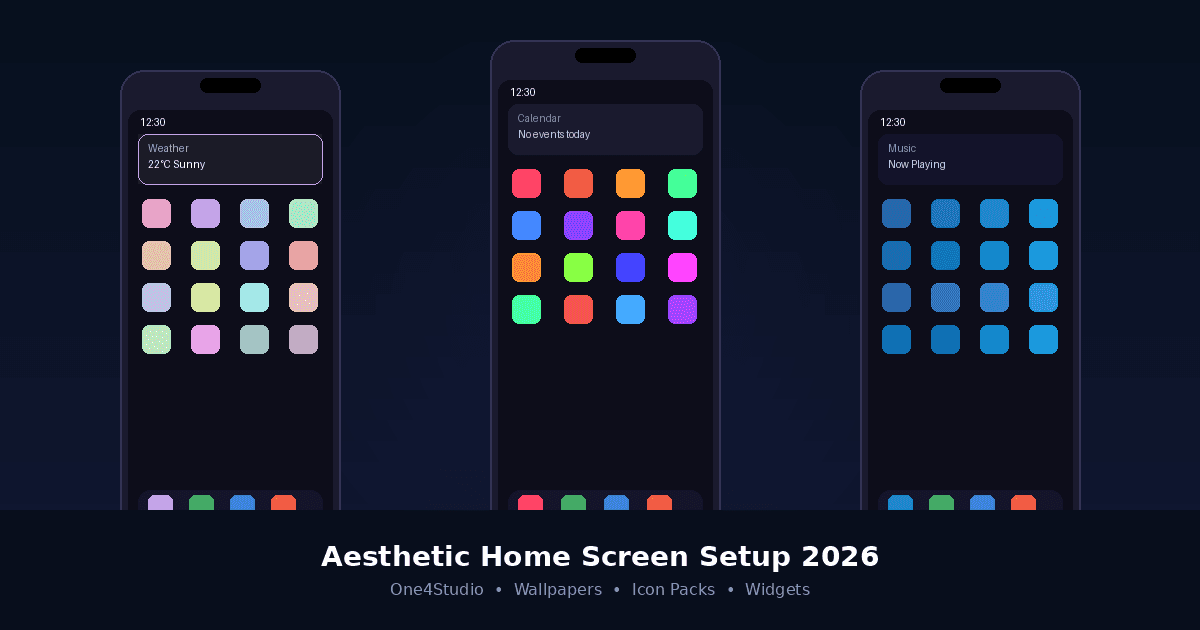
Your phone's home screen is the first thing you see dozens of times a day — so why leave it looking like it came straight out of the box? In 2026, creating an aesthetic phone home screen has become easier and more expressive than ever, whether you're on iPhone or Android. From coordinated wallpapers and icon packs to smart widget placement, this guide walks you through everything you need to build a home screen that actually feels like yours.
Phone customization has exploded in popularity over the past few years, and 2026 is shaping up to be the biggest year yet. Apple's iOS 26 introduced the stunning Liquid Glass design language, giving widgets and icons a translucent, layered look that practically begs for creative setups. On the Android side, launchers and theming engines continue to push boundaries with dynamic icon packs that shift color based on your wallpaper or time of day.
It's not just about looking good, either. A well-organized home screen reduces the time you spend hunting for apps, keeps distractions at bay, and can improve how your phone fits into your daily routine.
Every great home screen setup starts with the wallpaper. It sets the color palette, the mood, and the foundation that everything else builds on. Think about the overall aesthetic you're going for — soft pastels and floral patterns create a calm, minimal feel, while dark gradients and neon accents lean into a more dramatic, modern look. Abstract art and geometric shapes land somewhere in between.
Tip: Always go for high-quality wallpapers designed for phone screens, ideally in 4K resolution so they look crisp on modern OLED displays. Thematica offers a curated library of premium 4K wallpapers built specifically for iPhone and Android.
In 2026, lock screen and home screen pairing is a major trend. Choose wallpapers that complement each other — or use variants of the same image — so the transition from lock screen to home screen feels intentional.
Once your wallpaper is set, the next step is picking icons that work with it. Mismatched icons are the fastest way to ruin a clean setup, so coordination matters. The best icon packs share a consistent style across every icon — same line weight, same color treatment, same level of detail. For Android users, icon packs like Vera, Lena, Ares, Caelus, and Adaptive from One4Studio are designed with exactly this kind of cohesion in mind, offering thousands of icons in unified styles that pair naturally with curated wallpapers.
iPhone users on iOS 26 now have more native customization than ever. The new Clear icon mode gives your icons a frosted, translucent look that layers beautifully over any wallpaper. You can also tint all your icons to a single color for a monochromatic setup, or switch between light and dark icon variants depending on the time of day.
- Long-press your home screen and tap Edit, then Customize.
- Experiment with the tint, size, and appearance controls to match your wallpaper.
- Try the Clear icon mode for a frosted, translucent look over any background.
- Switch between light and dark icon variants to match the time of day.
Widgets are the secret weapon of a great home screen. They add personality, surface useful information at a glance, and fill visual space in a way that plain app grids can't. The temptation is to fill every inch of screen space, but restraint pays off — two or three well-chosen widgets per page create breathing room and keep things looking intentional.
One of the biggest trends in 2026 is transparent widgets that blend into your wallpaper, creating the illusion that information is floating directly on your background image. On iOS 26, the Liquid Glass effect does this natively. On Android, apps like One4Wall can help you achieve a similar seamless look with themed widgets that match your wallpaper and icon setup.
A beautiful home screen falls apart if you can't find anything. Organization and aesthetics aren't opposites — they work best together. A growing number of people are moving to a single home screen page: put only your most-used apps and widgets on page one, and tuck everything else into the App Library (iOS) or app drawer (Android). This forces you to be selective, and the result is a home screen that looks clean and works efficiently.
Two popular organizational strategies: grouping apps by color creates a striking visual effect (imagine a row of blue apps fading into purple), while grouping by function (productivity, social, media) keeps things practical. And don't underestimate empty space — gaps between app clusters let your wallpaper show through and give the whole layout room to breathe.
Your home screen isn't a set-it-and-forget-it project. The best setups evolve. Swapping your wallpaper and widget theme every few weeks keeps things feeling fresh without requiring a complete overhaul. Many wallpaper apps, including Thematica, regularly add new collections tied to seasons, trends, and color palettes, making it easy to rotate your look.
Tip: Screenshot your current setup before making changes. This gives you a library of layouts to revisit or share, and helps you figure out what worked over time.
Building an aesthetic phone home screen in 2026 is about creating a cohesive system where your wallpaper, icons, widgets, and layout all work together to reflect your personal style while keeping your phone functional and fast. Ready to start? Browse premium 4K wallpapers on Thematica, explore themes and widgets on One4Wall, or find the perfect icon pack to tie your home screen together.